Using HappyFeat
Extracting the features (left panel)
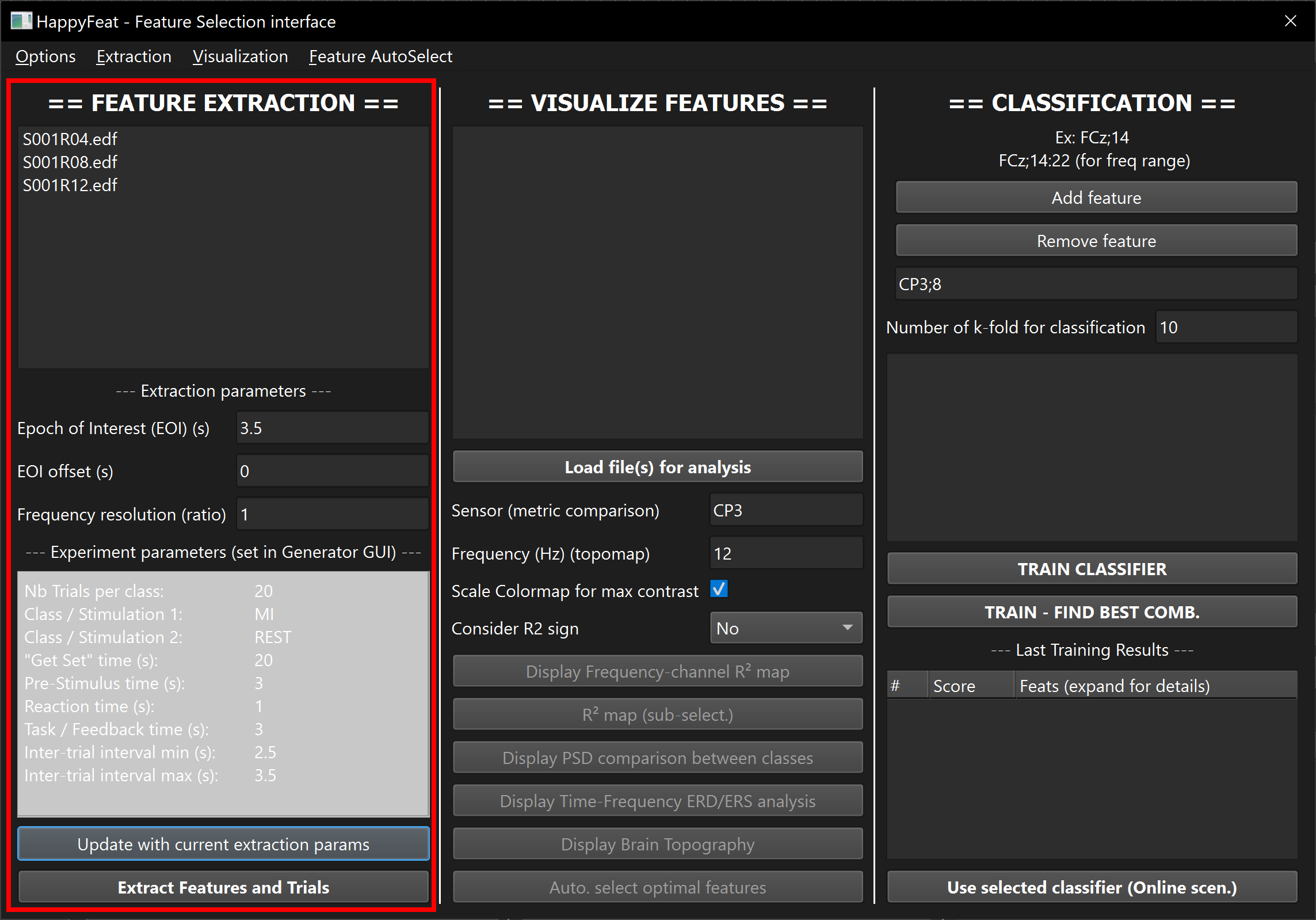
This step allows to extract relevant data from EEG signals, before using this data to analyse the spectral/connectivity features and select them for training the classifier.
Setting up the triggers/stimulations
Before running the extraction, make sure the stimulation linked to your classes are correct.
If you use OpenViBE and the provided templated scenarios, the stimulations are setup automatically.
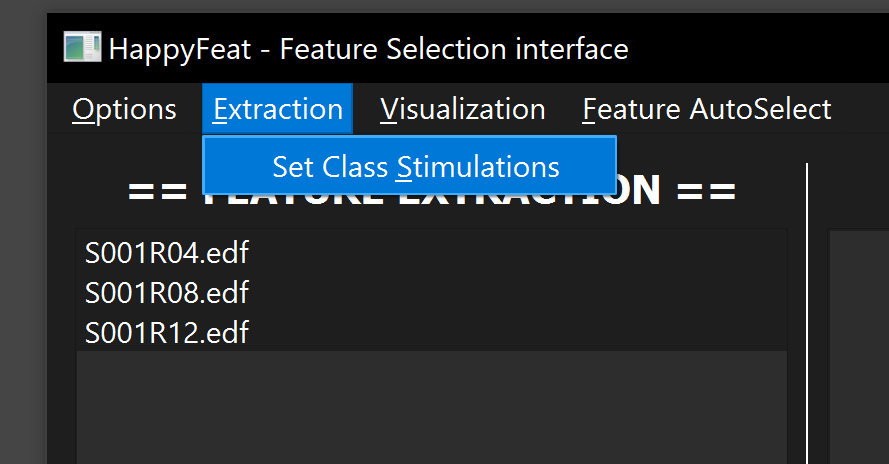
Otherwise, if you use Timeflux, go to Extraction > Set Class Stimulations in the top menu, and enter the stimulation/trigger labels of your experiment, in the same order as Class 1 and Class 2 (previously set up when creating the workspace, and reminded in the lower part of the Extraction panel).
Extraction
Available signal files are shown in the top list of this panel. This list is automatically updated from the signals folder of the current workspace.
Tip
You can either manually add signal files in your OS file system, or use the generated OpenViBE scenario sc1-monitor-acq.xml in the current workspace folder, if in the context of a BCI experiment. This scenario is automatically set up (in the workspace creation step) to write EEG signal files in the correct signals folder.
From this list, select one or multiple signal files you're interested in analyzing. Enter the extraction parameters (Epoch of interest, epoch offset from stimulation, autoregressive model order...). See this page for more explanation on the extraction parameters.
Click on "Extract Feature and Trials". EEG signal files (or runs) for which the extraction step has been performed appear in the lists of the central and right part of the GUI, meaning they are now available for the analysis (visualization and training steps).
Note
- Note that processing times are highly dependent on the extraction parameters and the selected metric. As a rule of thumb, Connectivity features are much slower to compute than PSD ones, and using a higher AR order and/or higher number of estimations (shorter windows, higher amount of overlap) also means longer processing time.*
Switching between sessions
Changing any parameter in the extraction panel and clicking on the "Update" or the "Extract" button will switch to another session. HappyFeat automatically detects if the new set of parameters has already been used before. If not, a new session is created (meaning a new entry in the workspace's configuration file, and a new numbered folder in the file tree). Otherwise, all the info from the session is recovered and made available.
The "update" button switches to another (existing or new) session, without launching any extraction. This allows for example to quickly compare training results using different connectivity estimators (coherence vs. imaginary coherence), or using different AR model orders.
Avoiding redundant operations
When launching a "Feature Extraction" operation, HappyFeat automatically checks if the selected EEG signal files have already been processed using the parameter set of the current session. If it's the case, the user is asked if they want to renew the operation.
Tips and other info...
Note
As of today, the only supported formats for signal files are OpenViBE's .ov format and .edf.
Work is ongoing to add support for other formats widespread in the EEG/BCI community (e.g. GDF)
Tip
A list of (non-editable) experimental parameters (set up when creating the workspace) is provided as a reminder.